Safe file operations
Copy, move and delete in a background queue with live speed, ETA, pause, resume and cancel controls.
F5 · F6 · F8 fm
Download fm
Native macOS file managerApple Silicon
fm brings flexible multi-pane browsing, serious file tools and careful data handling together in one fast, native Mac app.
macOS 14 Sonoma or later · Apple Silicon only
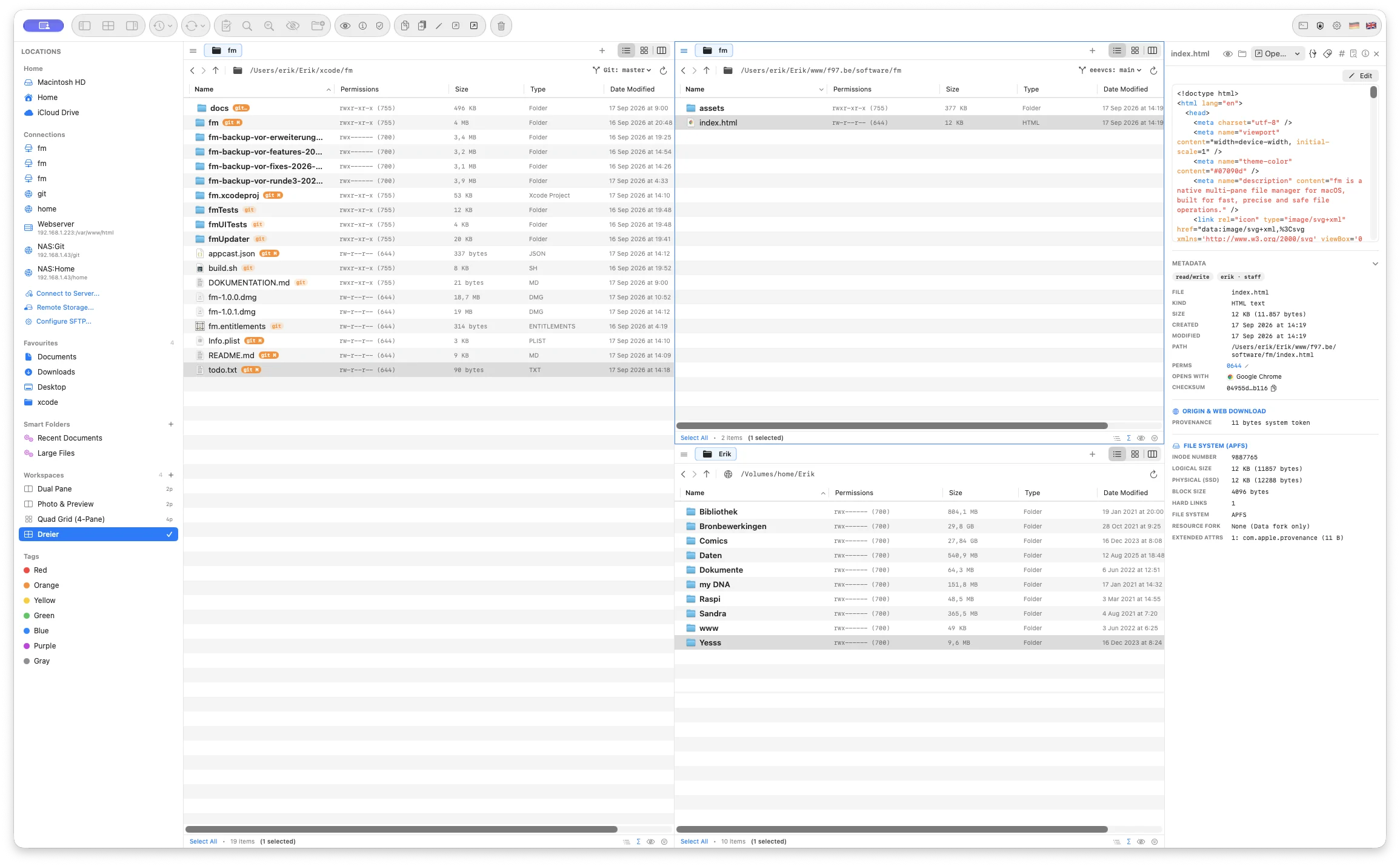
A workspace that fits the work
Unlike a fixed dual-pane commander, fm lets you arrange one, two, three or four panes as columns, rows or a grid. Each pane keeps its own tabs, view mode and location.
Move between panels with the keyboard, drag tabs from one pane or window to another, and store the entire arrangement as a reusable workspace.
List, icon, Miller columns and recursive Branch View can be chosen independently for every tab. Your split positions and session return exactly as you left them.
Everything in reach
Every tool is designed around the selected files and active pane, so complex work stays close to its context.
Copy, move and delete in a background queue with live speed, ETA, pause, resume and cancel controls.
F5 · F6 · F8Reverse grouped copies, moves, trash actions, batch renames, tags, permissions and replaced files.
Command ZCopy-on-write cloning makes huge local duplicates nearly instant while preserving metadata, ACLs and tags.
COPYFILE_CLONECompare name, size, date and preview. Replace, skip, keep both or keep the newer item—with safe backups.
No silent overwritesFind files with Spotlight and automatic disk scanning, or search text and regular expressions inside files.
Command FFind and run commands without leaving the keyboard. Nearly every part of fm has a shortcut.
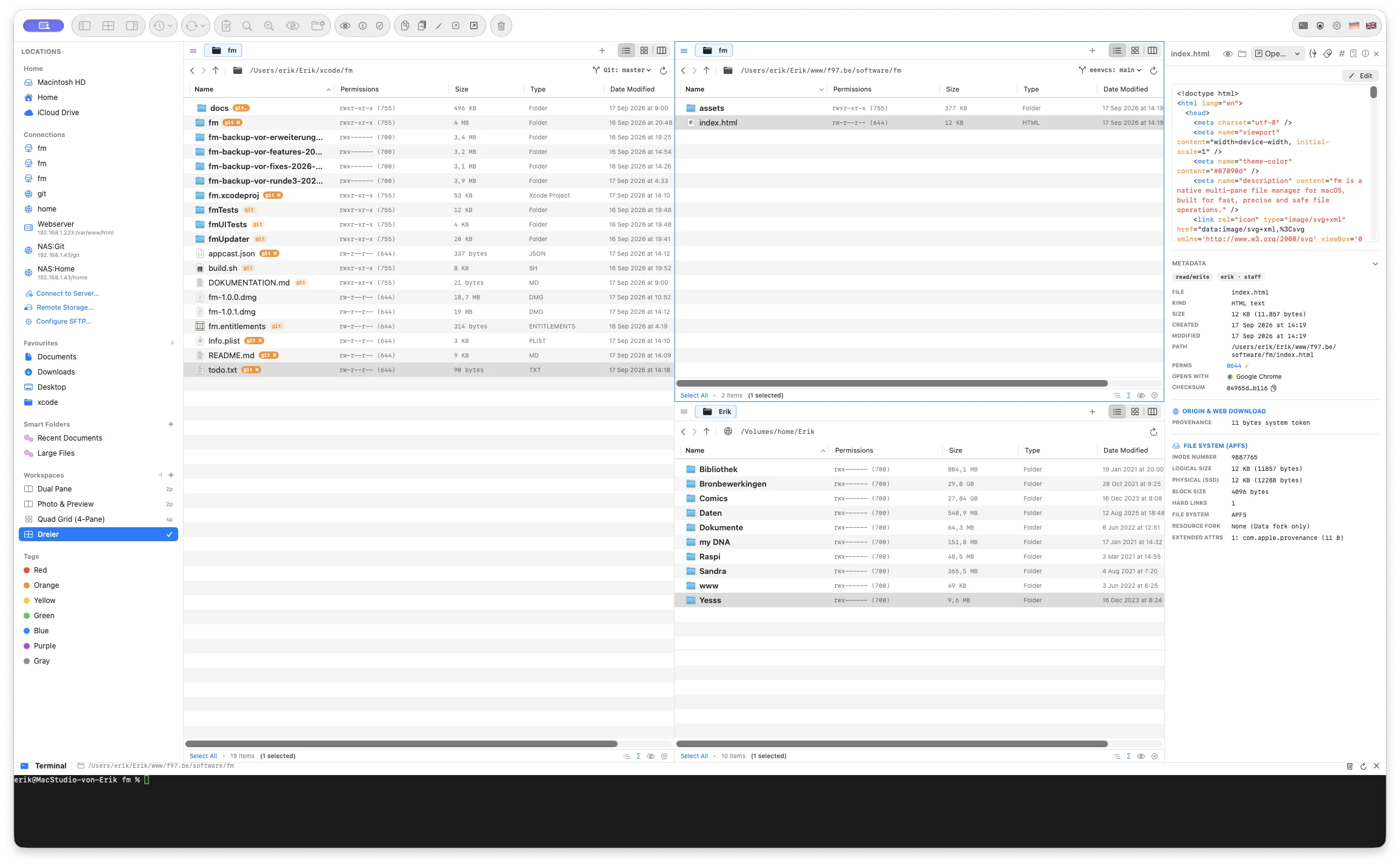
Command KTerminal included
Open the integrated SwiftTerm drawer and it starts in the active pane’s directory. Change folders in fm and the terminal follows safely when the shell is ready.
Built-in toolkit
Find and replace, prefixes, suffixes, numbering, case conversion and full regular expressions—with a live old/new preview and collision warnings.
Compare by size, date or SHA-256, then update, mirror or synchronize in both directions. Save recurring pairs as profiles.
Explore storage as an interactive treemap or sunburst. Drill into large folders and jump straight back to the item in fm.
A fast three-stage scan filters by exact size, a 64 KB prefix hash and finally full SHA-256—only when needed.
Calculate MD5, SHA-1 and SHA-256, verify checksum files, create common archive formats and peek inside ZIP or TAR without extracting.
Edit POSIX permissions, owner, group, extended attributes and Finder tags through a clear native interface.
Local and remote
Remote locations work through the same panes and operations as local folders. Preview and edit remote files through a local cache, then save changes back atomically.
Copy from local to remote, remote to local, or between two remote services through fm’s internal streaming buffer.
For developers
Live file badges show modified, added and conflicted states. The path bar keeps the current repository and branch visible while background refreshes stay out of the main thread.
+ @Observable @MainActor
+ final class FilePanelViewModel {
    var files: [FileItem] = []
    var selectedFileIDs: Set<URL>

    func reload() async {
      files = await scanner.contents()
    }
}Inspect without opening
The preview panel turns selection into useful context: exact size, dates, permissions, owner, file system details, extended attributes and a cryptographic checksum.
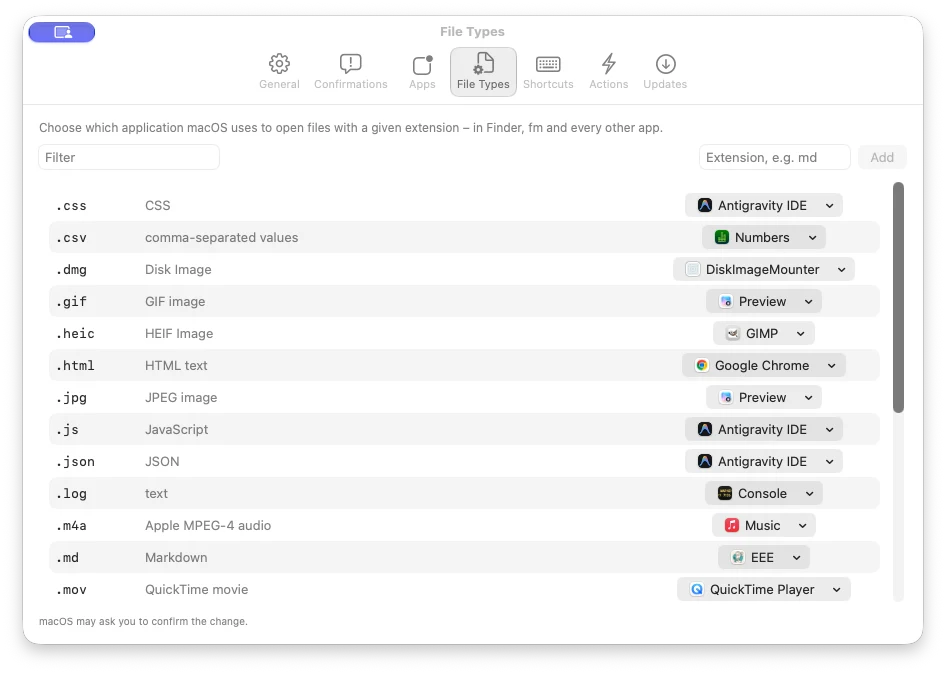
Make it yours
fm remembers how you work in every directory: view mode, sort column, order, visible columns and column widths. Workspaces and full session restoration bring back open tabs, paths and split positions.
Built for macOS
Built specifically for modern Macs with Apple silicon.
Signed with Apple Developer ID and built with hardened runtime.
SHA-256, bundle ID and code signature are checked before an atomic install.
Directory reads, previews, Git status, search and checksums stay off the main thread.
Keyboard first
Classic commander keys meet familiar macOS shortcuts—and the command palette keeps every action searchable.
fm for macOS
Flexible panes, native speed, reversible operations and the tools to go further.
Download fm Requires macOS 14 Sonoma or later · Apple Silicon only